At A Glance:
- Intel Core Ultra Series 3 (Panther Lake)
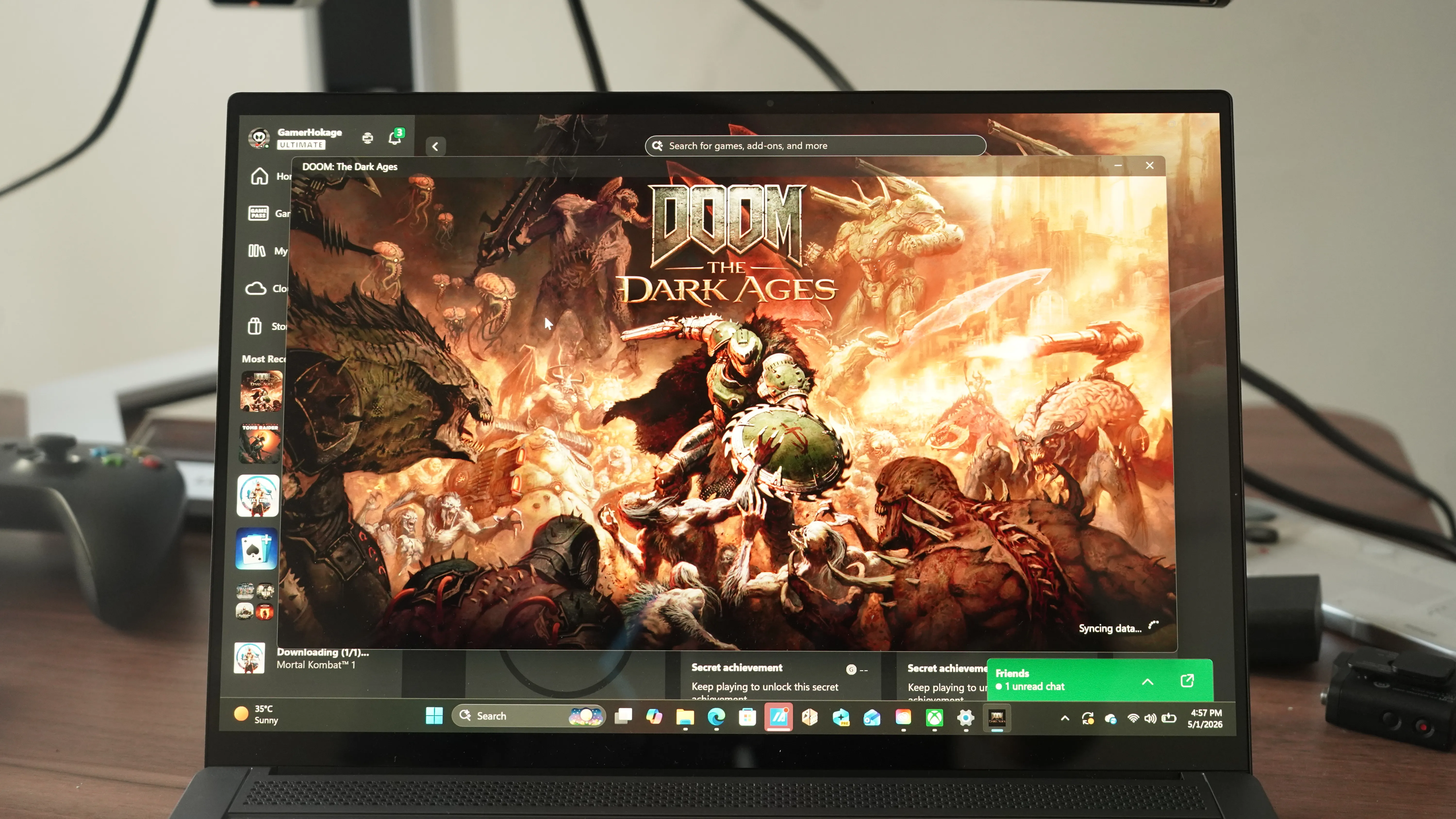
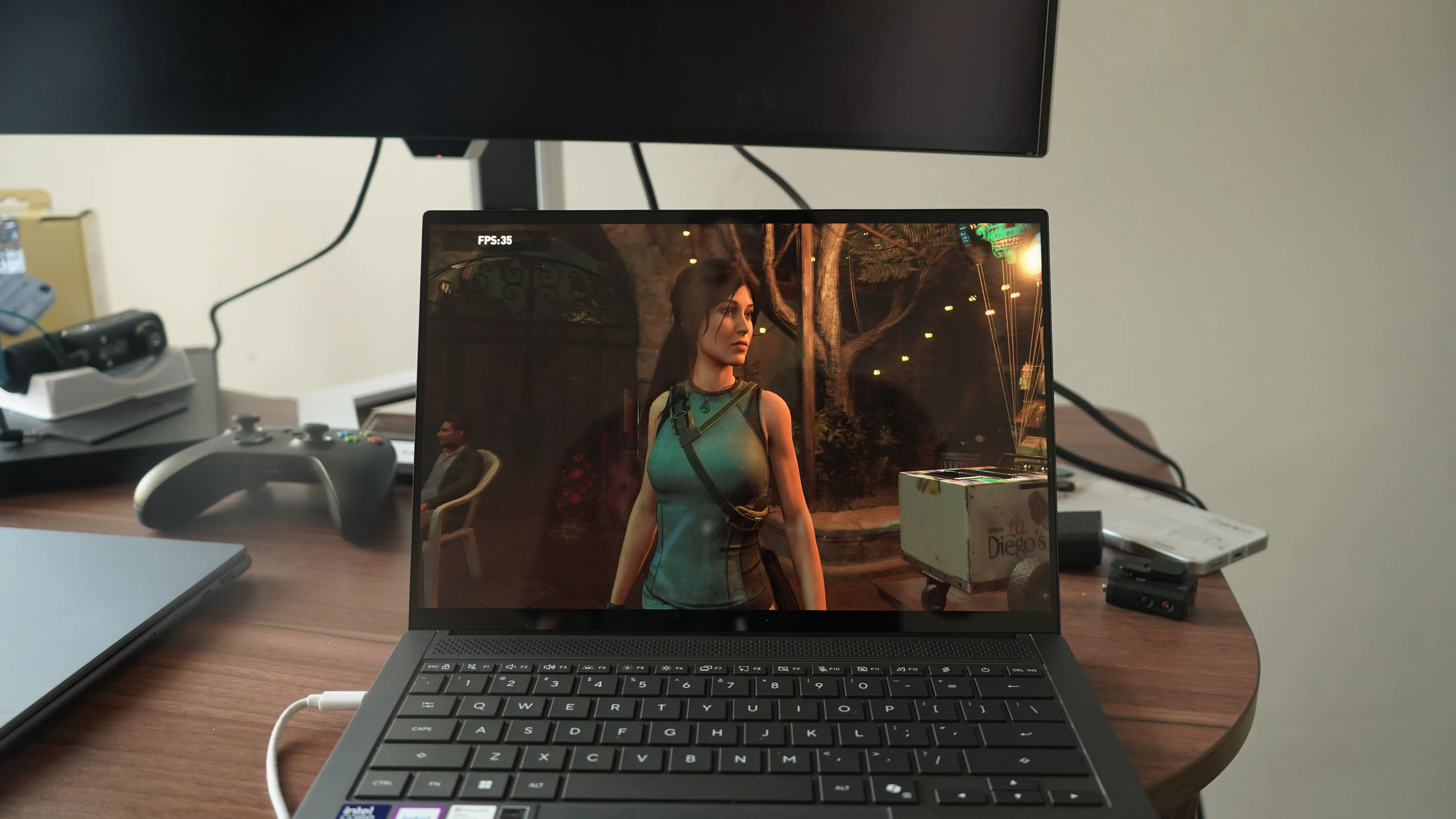
- Xe3 architecture iGPU is capable of running games like Outer Worlds, Mortal Kombat 1, Doom: Dark Ages, Tomb Raider (2019), Elder Scrolls 4: Oblivion (Remastered)
- RAM goes up to 32 GB of LPDDR5X running at 8533 MT/s
- 14-inch ASUS Lumina OLED panel
- VESA DisplayHDR True Black 1000 certified
- 3K 16:10 resolution
- Peak HDR brightness of 1,100 nits
- Ceraluminum lid - scratch-resistant, durable, lightweight
- Delta E below 1
- 100 per cent of the DCI-P3 gamut
- Full-sized HDMI 2.1, one USB 3.2 Gen 2 Type-A port at up to 10 Gbps, and a 3.5mm combo audio jack
- Weighs 1.2 kilograms
- The 77 Wh battery – 16 hours of battery life so far with normal office tasks on balanced mode – will reveal battery life in performance mode in the full review
- Goes from 0 to 100 per cent in around 60 minutes; supports 100W fast charging
There is a certain kind of laptop that announces itself before you even open the lid. The ASUS Zenbook S14 is clearly designed to be one of those machines. At just 1.1 centimetres thin (without the lid) and 1.2 kilograms light, it is the sort of device you can slip into a bag and genuinely forget it is there, right until you need it. But beyond the numbers, what makes this machine interesting is what ASUS has done with the material it is made from.
Specifications: Asus Zenbook S14 (UX5406AA)
| CPU
| Up to Intel Core Ultra 9 386H Processor
| NPU
| Up to 50 TOPS
| Color
| Antrim Grey / Scandinavian White
| Display
| 14-inch, 3K (2880 x 1800) OLED 16:10 aspect ratio, 0.2ms response time, 120Hz refresh rate, 1100 nits HDR peak brightness, 100 per cent DCI-P3 color gamut, 1,000,000:1, VESA CERTIFIED Display HDR True Black 1000, 1.07 billion colors, Pantone Validated, Glossy display, 70 per cent less harmful blue light, TÜV Rheinland-certified, SGS Eye Care Display, 90 per cent Screen-to-body ratio, stylus support
| OS
| Windows 11 Home
| Graphics
| Intel Graphics (Arc B390 iGPU)
| Main memory
| Up to 32GB LPDDR5X on board
| Storage
| Up to 1 TB PCIe 4.0 x4 NVMe M.2 SSD
| Connectivity
| Tri-band Wi-Fi 7 (802.11be) + up to Bluetooth 6.0
| Camera
| ASUS Ai Camera
FHD 3DNR IR camera with ambient light and color sensor
| I/O ports
| 1x USB 3.2 Gen 2 Type-A (data speed up to 10Gbps)
2x Thunderbolt 4 (Up to 40Gbps)
1x HDMI 2.1 TMDS
1x 3.5mm Combo Audio Jack
| Touchpad
| 127x79 mm ASUS ErgoSense touchpad
| Audio
| 4 built-in speakers /Dolby Atmos sound system
Built-in 2 microphones
| Battery
| 77 Wh lithium-polymer battery
| AC adapter
| 68 W Type-C power adapter
| Dimensions
| 31.03 x 21.47 x 1.19cm; about 1.29 cm thick
| Weight
| 1.20 kilograms
|
Material Innovation At Its Finest
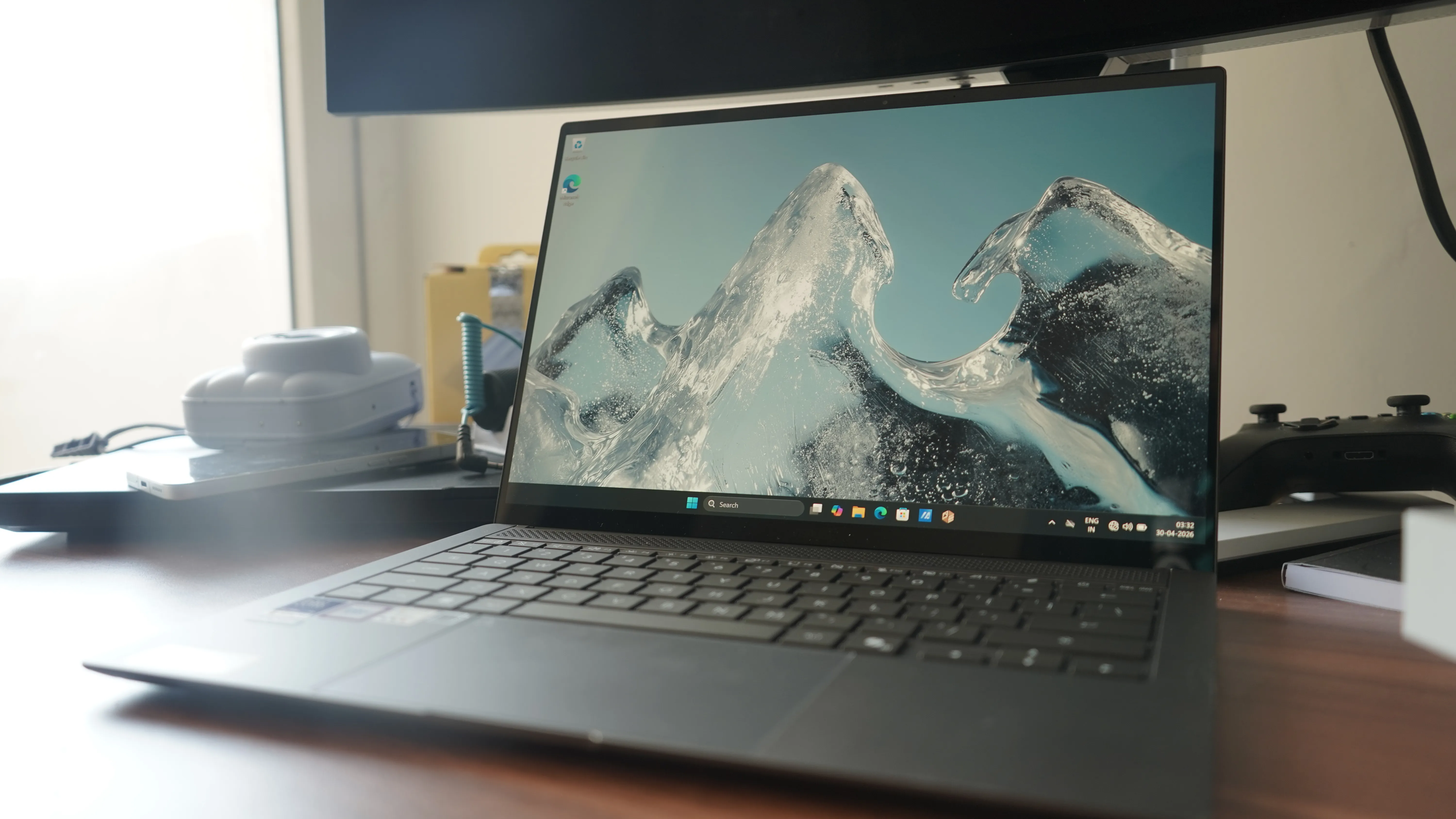
The headline story with the Zenbook S14 is Ceraluminum, and it is not just marketing language. ASUS spent four years developing this material, which essentially takes aluminium and puts it through a ceramisation process that transforms it entirely into a high-tech ceramic. We saw this in the previous iterations of the Zenbook S14 as well. This year’s design is a bit different, though.
The result is a chassis that combines ceramic-level hardness and scratch resistance with the lightness you would expect from a metal-bodied ultrabook. The surface is also resistant to smudges and wear, which, for anyone who has watched a premium laptop age ungracefully over two years of daily use, is a genuinely practical promise.
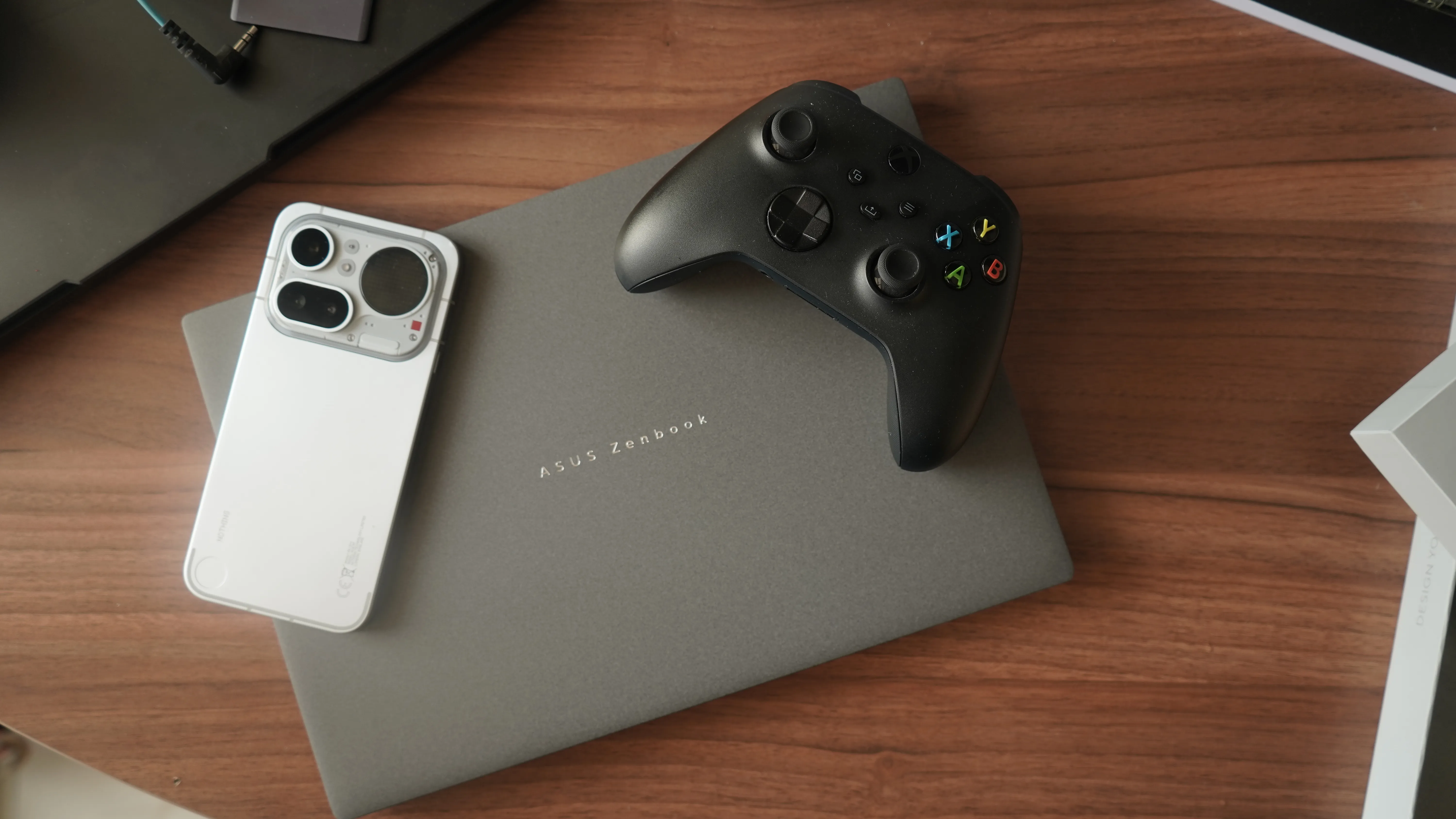
The material comes in two colours, Antrim Grey and Scandinavian White, both described as nature-inspired. The construction method is a CNC unibody, meaning the chassis is precision-machined from a single block of material rather than assembled from multiple pieces, which generally results in a stronger and more rigid structure.
The whole thing carries a US MIL-STD-810H military-grade certification, a standardised series of tests developed by the United States military to assess how hardware holds up under real-world stress. In the Zenbook S14's case, that covers functional shock tests, vibration tests simulating common carrier transport, altitude operation up to 15,000 feet, and both low and high temperature storage and transit conditions. For a laptop this thin, that is a meaningful assurance. I did not get the chance to test all of this individually because of a lack of time and resources. So, I just spilt some water on top of it and dropped it from a 4-foot height. It is working just fine.
A Display That Does Not Quit
The 14-inch ASUS Lumina OLED panel is where the Zenbook S14 really leans into its premium positioning. You see, unlike LCD screens, which require a backlight behind the panel, OLED, or Organic Light-Emitting Diode, displays have individually lit pixels that can switch off completely. This means true black is genuinely black rather than a dark shade of grey, which dramatically improves contrast and makes colours appear richer and more vivid.
The resolution sits at 3K (2880 x 1800) with a 16:10 aspect ratio, which is taller than the more common 16:9 format and gives you more vertical space for documents, webpages, and code. The refresh rate is 120 Hz, meaning the screen updates 120 times per second, resulting in noticeably smoother scrolling and motion compared to standard 60 Hz panels.
HDR peak brightness reaches 1,100 nits, with HDR, or High Dynamic Range, referring to the display's ability to simultaneously show very bright highlights and very dark shadows in the same image. The contrast ratio is 1,000,000:1, and the colour gamut covers 100 per cent of DCI-P3. DCI-P3 is the colour standard used in professional cinema production, and a laptop covering 100 per cent of it means it can reproduce the full range of colours used in professional film content, which is a meaningful spec for creative work.
The display carries a notable set of certifications. It is Pantone Validated, meaning an independent colour authority has verified that the screen reproduces colour accurately enough to be used in professional design workflows. It supports Dolby Vision, an HDR format that carries scene-by-scene colour and brightness metadata to help the display show content exactly as the creator intended. And it is VESA DisplayHDR True Black 1000 certified, which is a specific tier of display certification awarded by the Video Electronics Standards Association. The True Black designation is reserved for OLED and similar self-emissive panels that can achieve genuine zero-light black levels, while the 1000 figure refers to the panel's ability to sustain a peak brightness of 1,000 nits in HDR content. Together, this certification confirms both the depth of the blacks and the brightness of the highlights, essentially validating the display's HDR performance against an independently verified standard.
The panel is also factory calibrated to a Delta E below 1. Delta E is a numerical measure of colour accuracy, where a lower number indicates less deviation from what a colour is supposed to look like. A Delta E below 1 is considered imperceptible to the human eye, meaning colours on this screen should look essentially identical to how the creator intended them.
ASUS has also put considerable thought into eye care. The panel emits 70 per cent less blue light than a typical LCD, achieved by calibrating the spectrum rather than layering a filter over it, which means colour accuracy is not compromised in the process. TUV Rheinland certification and SGS Eye Care Display certification back up these claims.
Burn-in, the perennial concern with OLED panels where a static image displayed for too long can leave a faint permanent ghost on the screen, is addressed through multiple mechanisms. The laptop ships with Windows Dark Mode as the default, the screen dims after five minutes of idle time, and a dedicated ASUS Lumina OLED algorithm actively detects ageing pixels and compensates by adjusting the electrical current passing through them to restore accurate colour. ASUS also offers a free screen exchange for any burn-in issue occurring under warranty, which is a confident statement of trust in their own technology.
Performance That Leaves You Speechless
Under the hood, the Zenbook S14 runs on Intel's Core Ultra Series 3 processors, going up to the Core Ultra 9 386H. To put that in context, Intel's Core Ultra Series 3 represents the company's most recent generation of laptop processors at the time of this writing, built on an architecture codenamed Panther Lake. These chips are designed from the ground up to balance high performance with power efficiency, and to accelerate artificial intelligence tasks locally on the device rather than relying on cloud servers.
The Core Ultra 9 386H specifically features 16 computing cores, but not all cores are the same. There are four Performance cores, or P-cores, which handle the heaviest computational tasks; eight Efficiency cores, or E-cores, which manage lighter background tasks while conserving battery; and four Low-Power Efficiency cores, or LPE-cores, which are designed to keep the system ticking over at minimal power draw during the most mundane workloads. Together, according to Intel's own briefing data, Panther Lake can deliver up to 10 per cent more single-threaded performance at similar power compared to its predecessors, Lunar Lake and Arrow Lake, or achieve 10 per cent lower power consumption at similar performance levels. For multi-threaded workloads, the gains are even larger, up to 40 per cent higher performance at similar power compared to Lunar Lake.
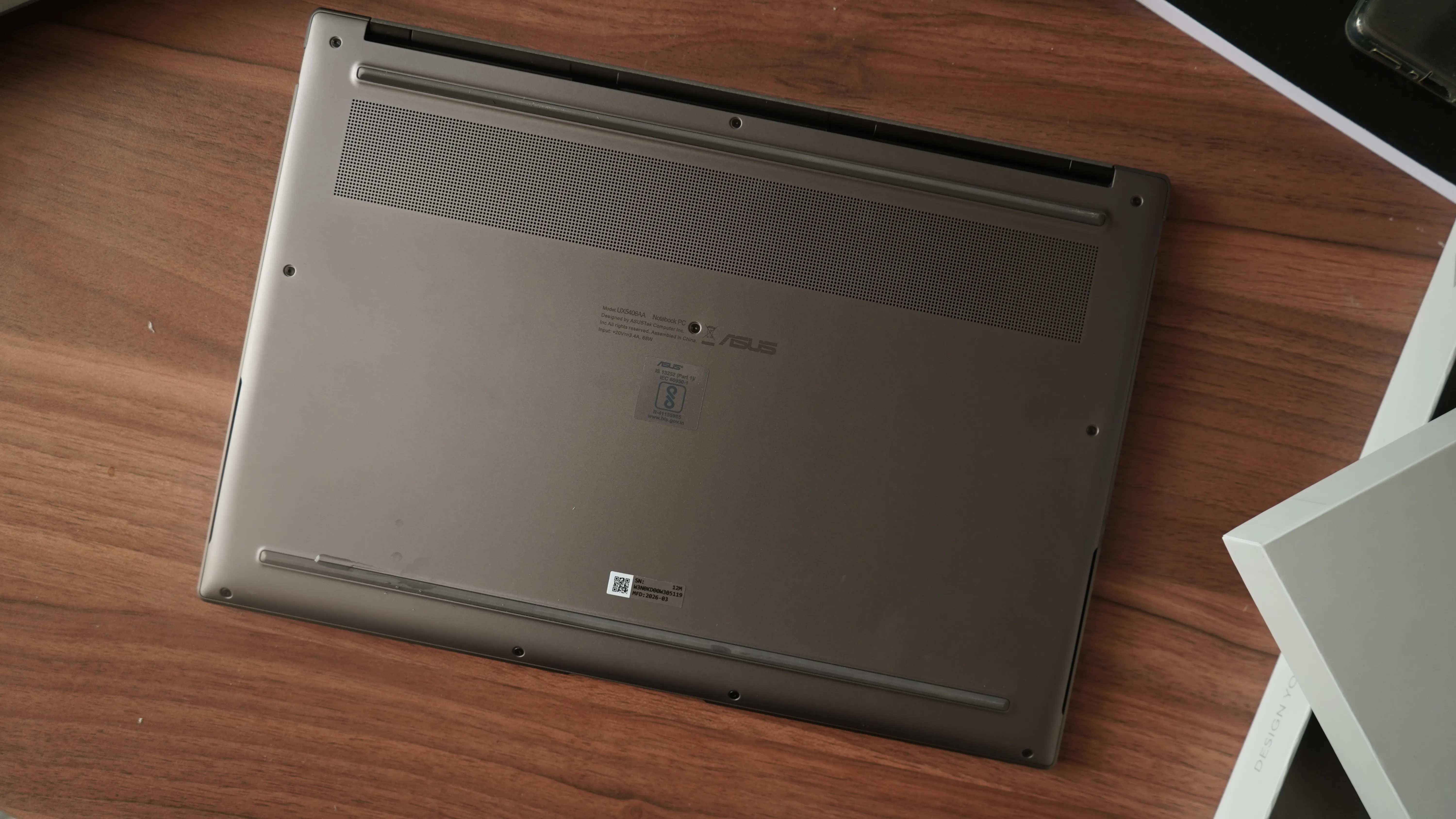
The chip also integrates an Xe3 architecture iGPU, which is Intel's integrated graphics processor built directly into the chip. This handles visual output and can assist with graphics-intensive tasks without requiring a separate dedicated graphics card.
Arguably, the most relevant feature for the near future, however, is the NPU, or Neural Processing Unit. Think of this as a dedicated brain inside the processor designed specifically to handle artificial intelligence computations, things like real-time noise cancellation, image enhancement, or AI-assisted features in applications. The Zenbook S14's NPU 5 is capable of up to 50 TOPS, which stands for Tera Operations Per Second, essentially a measure of how many AI calculations the processor can perform every second. That is three times more than the previous generation, and positions this laptop as a genuine AI PC rather than a machine that merely uses the term as a marketing badge.
What is particularly interesting is how ASUS has managed thermals inside a chassis that is roughly half the thickness of a typical 28W ultraportable. TDP, or Thermal Design Power, is the measurement of how much heat a processor generates under sustained load, and broadly correlates with performance headroom. Most laptops this slim are limited to around 15W. The Zenbook S14 targets 28W through a cooling system that includes dual fans, a 0.7 mm ultra-slim vapour chamber, bi-layer graphite sheets, and a geometric grille design featuring 2,715 CNC-machined cooling vents. ASUS claims this vent geometry boosts airflow efficiency by 50 per cent over conventional designs. In Whisper mode, the system operates at under 25 dB, which is essentially silent. In Performance mode, it climbs to 44 dB, which is expected territory for sustained loads.
RAM goes up to 32 GB of LPDDR5X running at 8533 MHz. LPDDR5X is a type of low-power memory designed specifically for thin and light devices, and the 8533 MHz figure refers to its clock speed, the rate at which it can transfer data. Storage tops out at 1 TB over PCIe 4.0, where PCIe 4.0 refers to the interface connecting the SSD to the processor. The fourth generation of this standard offers significantly faster data transfer speeds compared to older PCIe 3.0 drives, reducing load times and improving overall system responsiveness.
Audio, Connectivity, Everything Else
The Zenbook S14 packs a four-speaker system into its slim body, comprising two tweeters for high-frequency sound and two woofers for low-frequency bass, with Dolby Atmos support. Dolby Atmos is a spatial audio technology that creates a three-dimensional sound environment, placing audio above, below, and around the listener rather than simply from left and right channels. The audio system has also been tuned and certified by Harman Kardon, one of the more respected names in consumer audio engineering, which typically indicates a higher standard of sound calibration than factory defaults.
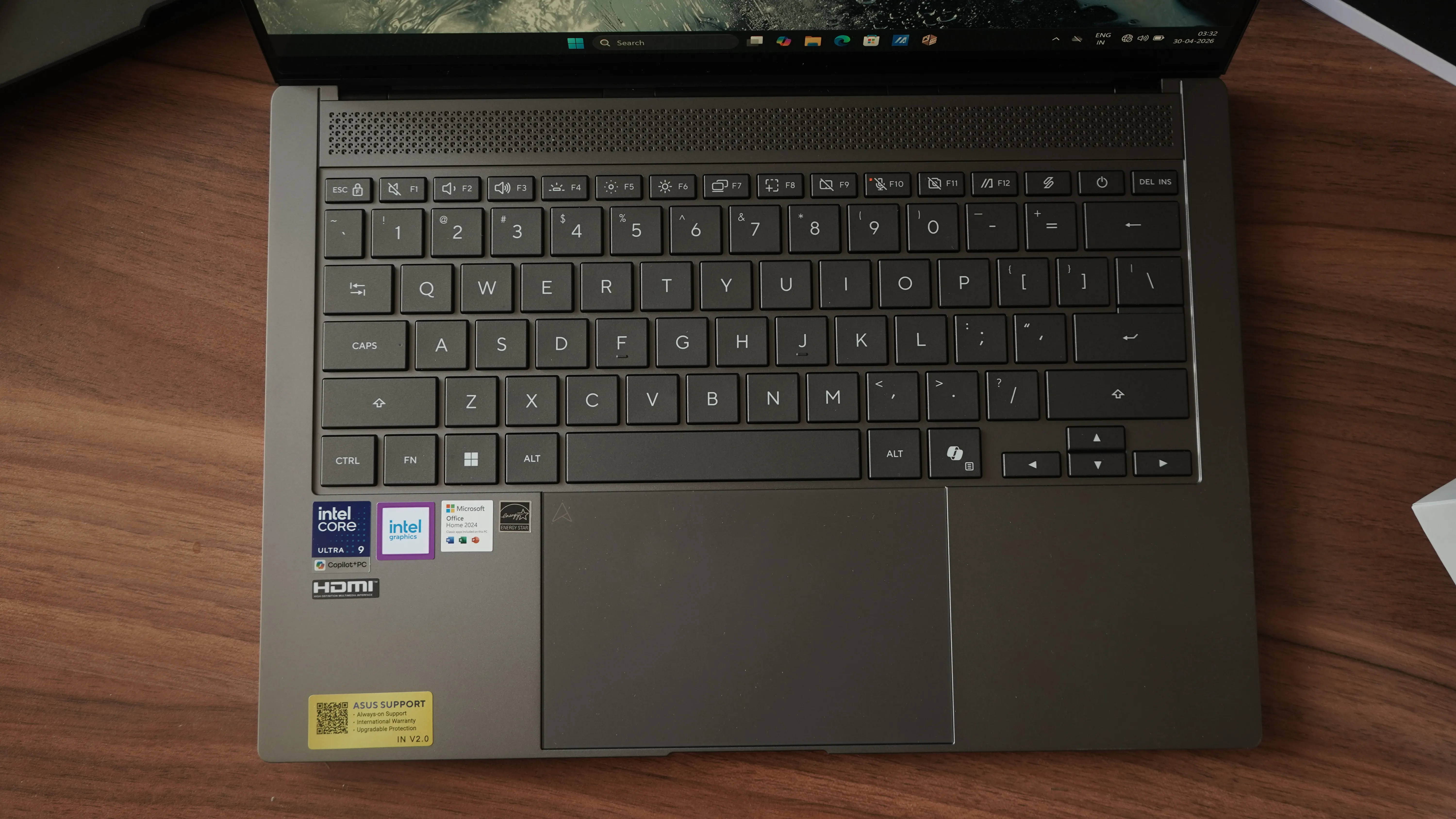
Connectivity is comprehensive for a machine this thin. You get two Thunderbolt 4 Type-C ports, each capable of transferring data at up to 40 Gbps. Thunderbolt 4 is Intel's high-speed connection standard that combines data transfer, video output, and device charging through a single cable, and at 40 Gbps, it is fast enough to run high-resolution external displays, transfer a large video file in seconds, or charge the laptop simultaneously. There is also a full-sized HDMI 2.1 port for connecting to televisions or monitors, one USB 3.2 Gen 2 Type-A port at up to 10 Gbps, and a 3.5 mm combo audio jack. The laptop can drive up to two external monitors simultaneously.
Wi-Fi 7 (802.11be) is on board, with a theoretical maximum data rate of 5.8 Gbps. Wi-Fi 7 is the latest generation of wireless networking, using wider 320 MHz channels and a more advanced signal encoding method called 4K QAM to pack significantly more data into each wireless transmission. ASUS claims this is 4.8 times faster than Wi-Fi 6, fast enough to enable 8K video streaming or download a 15 GB file in roughly 25 seconds. Bluetooth goes up to version 6.
The 77 Wh battery, where Wh or watt-hours is the standard measure of battery capacity, is rated for up to 27 hours of usage. USB-C fast charging can bring it to approximately 60 per cent in around 49 minutes.
On the software side, ASUS has bundled the machine with a fairly substantial ecosystem: MyASUS for system management, ScreenXpert 3.0 for window and app management, StoryCube for AI-powered media organisation, Two-Way AI Noise Cancellation for video calls, and the ASUS AiSense FHD IR camera with 3D noise-reduction technology for cleaner video in low-light conditions. The IR, or infrared, component of the camera enables Windows Hello face recognition for secure, password-free login.
Verdict: Should You Buy The Asus Zenbook S14?
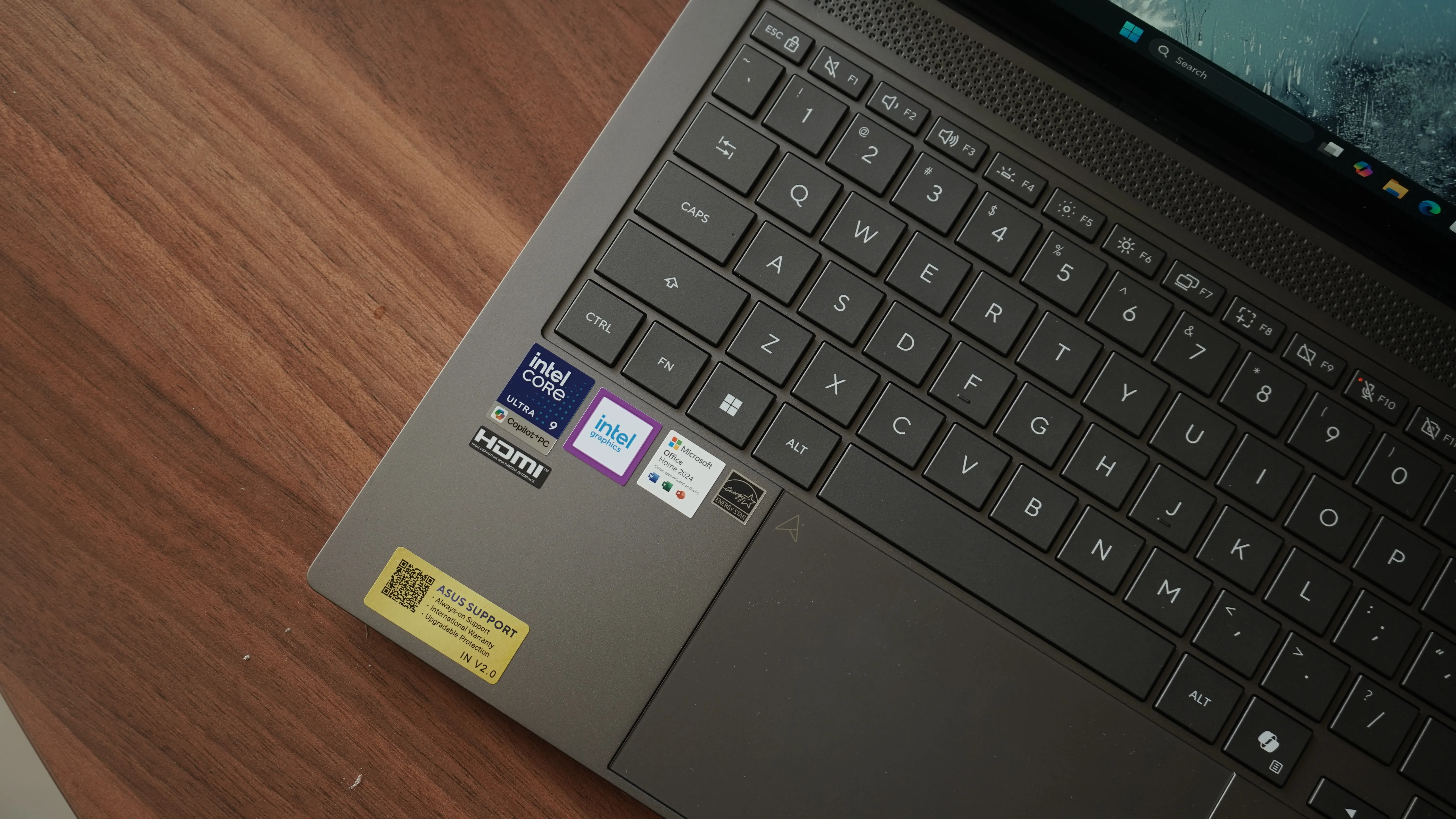
On paper, the ASUS Zenbook S14 is an impressively well-rounded machine. The Ceraluminum chassis is a genuine engineering story, not a cosmetic one. The Intel Core Ultra Series 3 silicon brings meaningful AI processing headroom through its powerful NPU, and the cooling solution is clever enough to sustain 28W in a body this slender. The OLED display, backed by an extensive set of independent certifications and thoughtful burn-in protection, looks like one of the strongest panels available in this segment. Battery life claims are ambitious, and the port selection is generous for the form factor.
The ASUS Zenbook S14 UX5406AA is not a difficult machine to admire, but it is worth being clear-eyed about what you are actually paying for. The Ceraluminum chassis is the real deal — a genuinely novel material story that goes beyond surface-level differentiation, and the build quality feels reassuringly solid for something this thin. The OLED panel is among the better displays you will find at this price point, with the certifications to back up what your eyes already tell you. Intel's Panther Lake silicon, with its NPU 5 capable of 50 TOPS, gives this machine credible AI PC credentials rather than borrowed ones, and the thermal engineering required to sustain 28W in an 11 mm body is legitimately impressive. That said, some claims invite scepticism. The 27-hour battery rating is the kind of figure that exists in laboratory conditions, not in the real world, and our early testing of 16 hours under balanced office workloads, while decent, already suggests a meaningful gap between marketing and reality. The iGPU handling AAA gaming is a claim that needs stress-testing before it can be taken seriously. For professionals who need a lightweight daily machine with a trustworthy display and enough processing headroom for AI-assisted workflows, the Zenbook S14 makes a strong case. For everyone else, it is worth waiting for the full review before committing.
What remains to be seen is how all of this holds up in real-world use, particularly under sustained performance loads, and whether the Ceraluminum finish lives up to its durability promises over time. Those questions require a full review. But as a first look, the Zenbook S14 presents a compelling case for itself.
Priced at Rs 2,49,990, this is bound to be a purchase that will require quite some thinking. That said, given the pickle we are all in due to the AI chips boom and the consequent memory shortage, for the price, the Asus Zenbook S14 makes sure that we get the absolute best.
For more tech reviews, keep following BW Businessworld and BWTV Prime. |





